Subcontractors can be associated to a scheme so connected subcontractors appear in a drop-down format for nomination when the 'List Scheme Contractors' box is ticked.
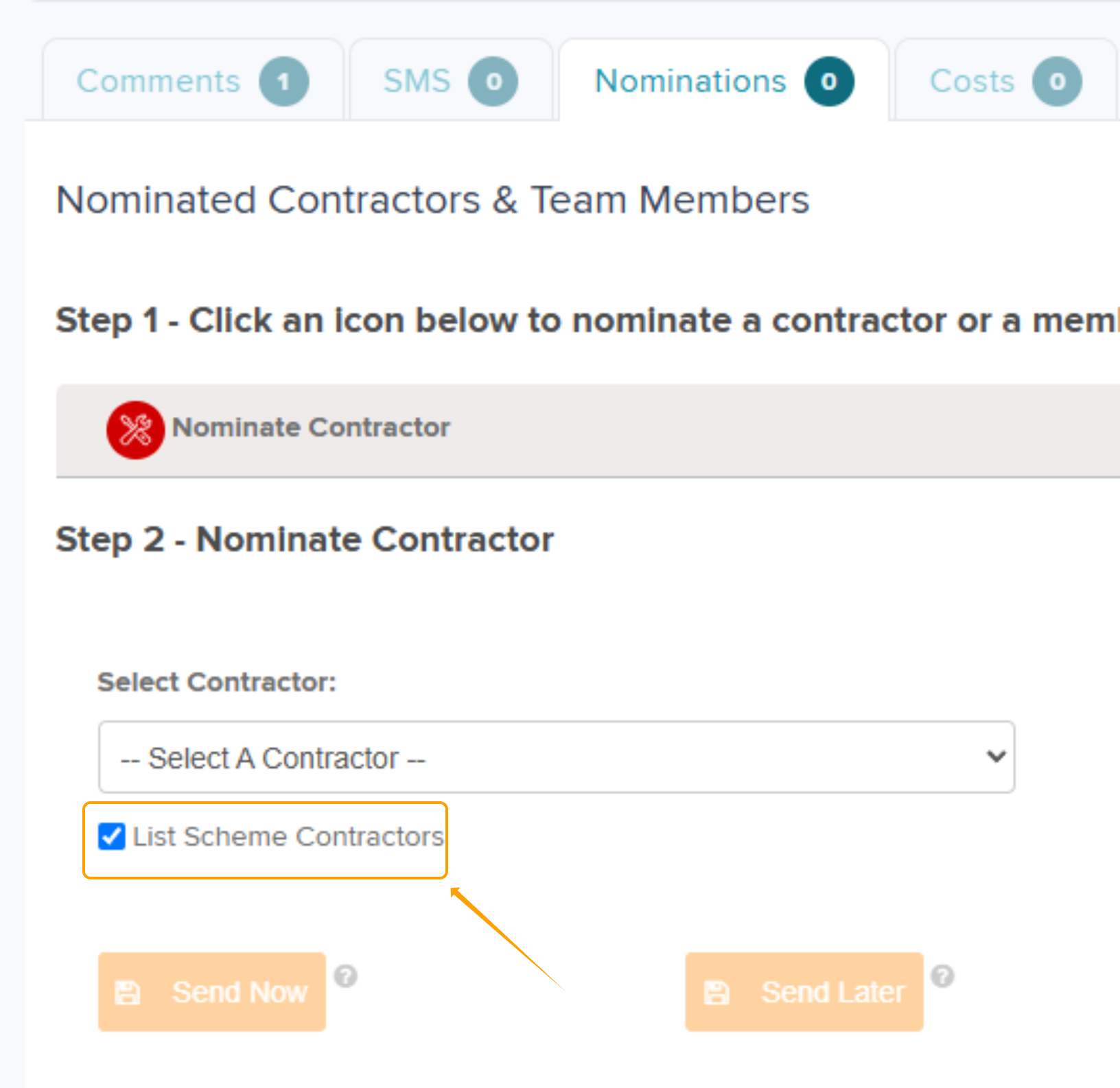
Step 1: Navigate to Contractors within the scheme view.

Step 2: Click in the box under 'Associated Contractors'
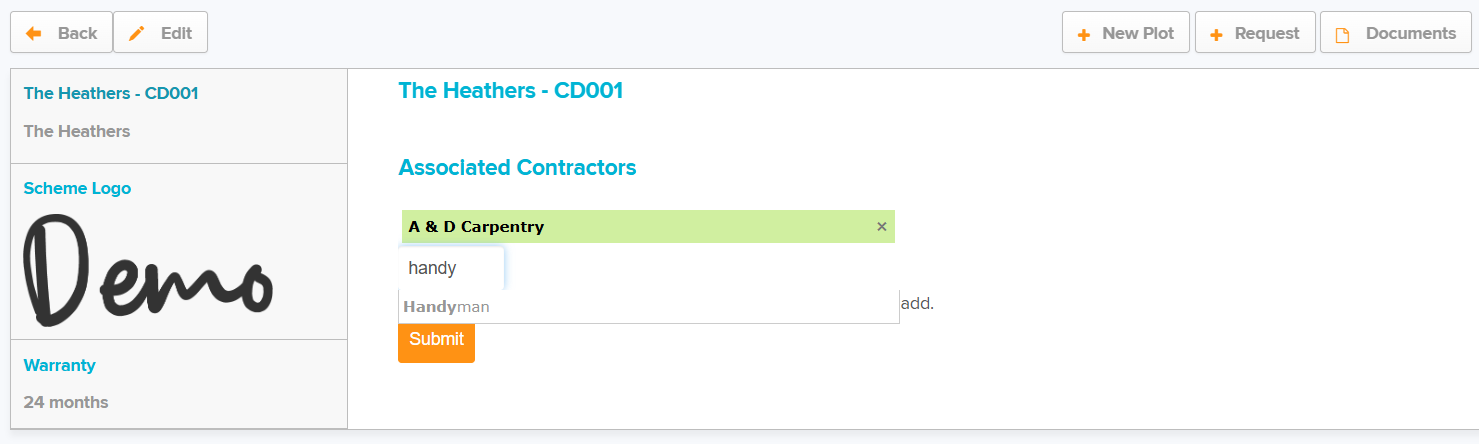
Step 3: Type in the name of the subcontractor to be added to this scheme. This is meta searchable as shown in the above screenshot.
Was this article helpful?
That’s Great!
Thank you for your feedback
Sorry! We couldn't be helpful
Thank you for your feedback
Feedback sent
We appreciate your effort and will try to fix the article