When you receive a nomination with a risk assessment attached, the assessment must be completed before you can complete the nomination.
The Risk Assessments are not applied to all accounts.
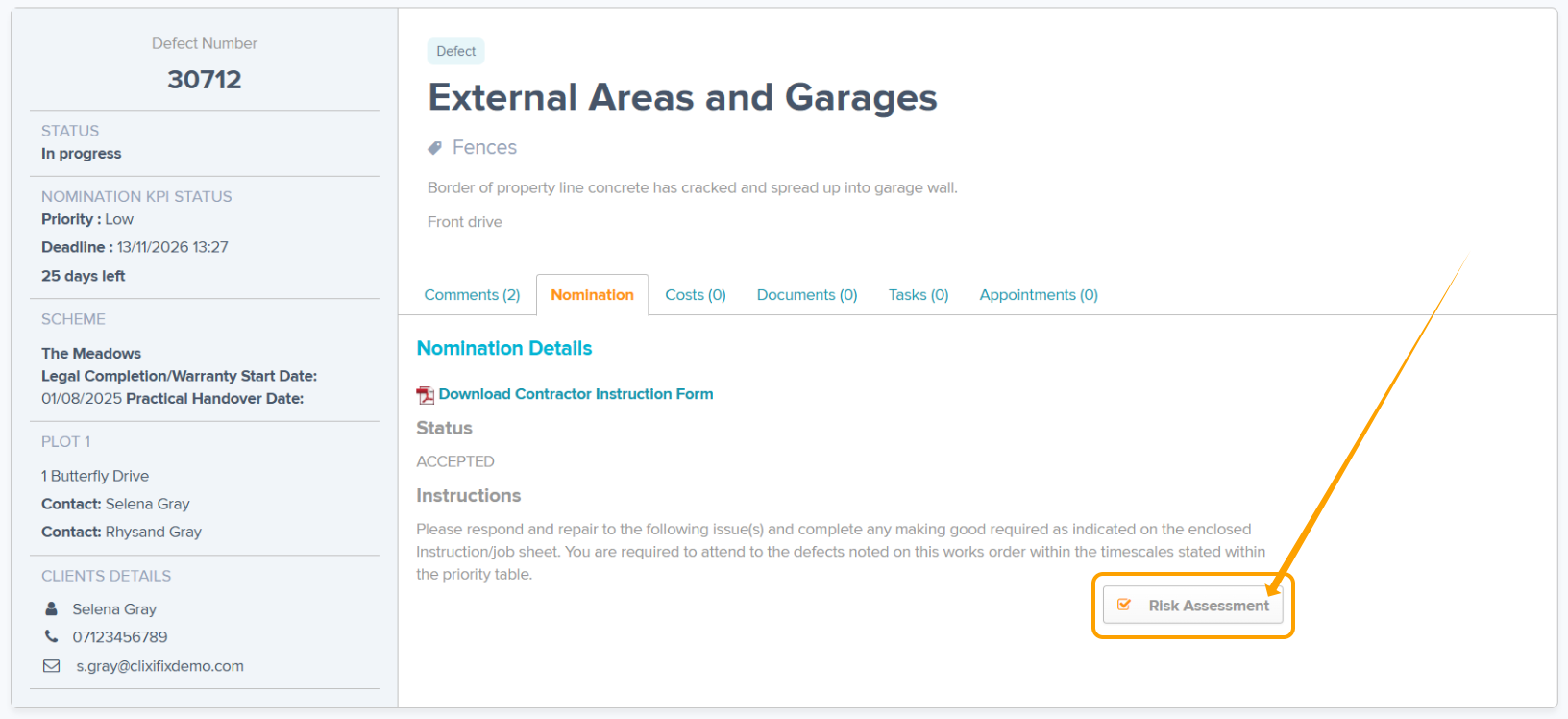
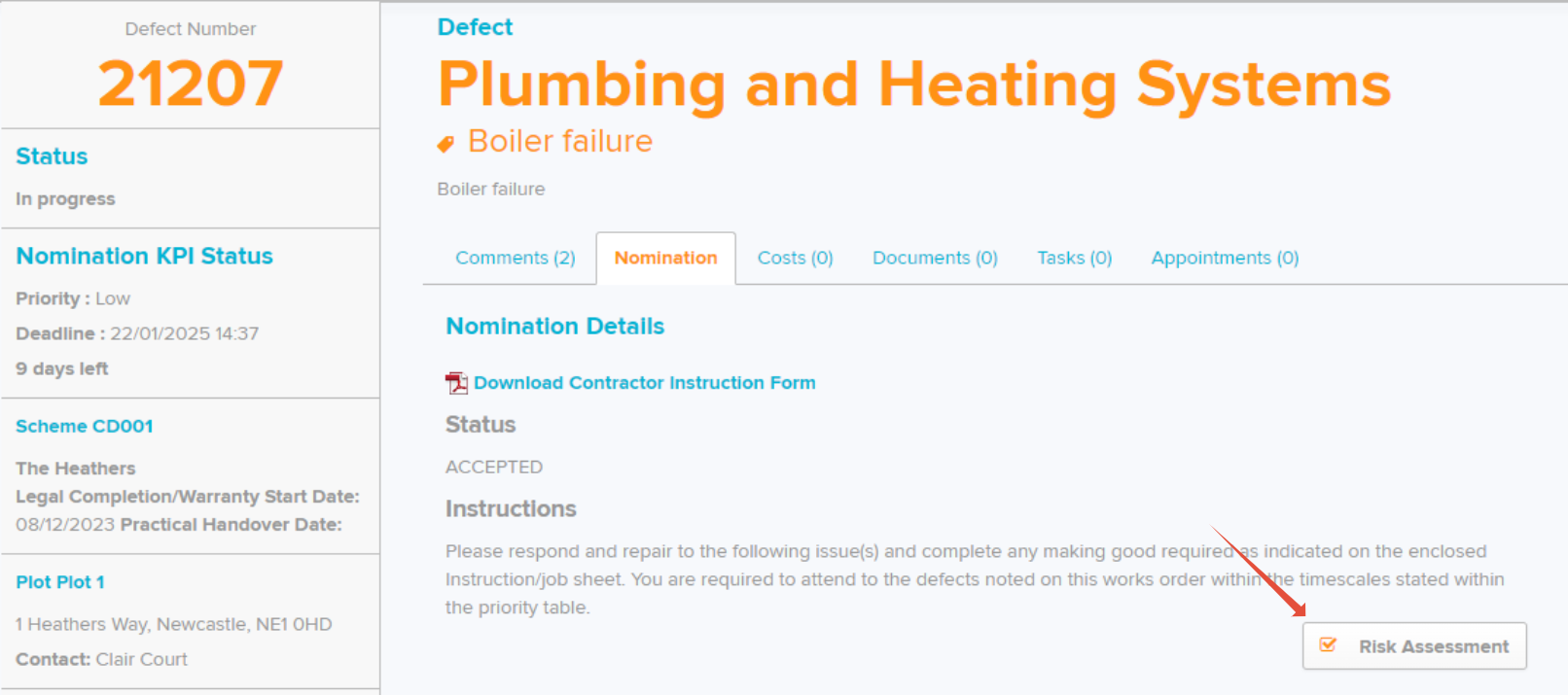
Step 1: Select Risk Assessment and review the policy.
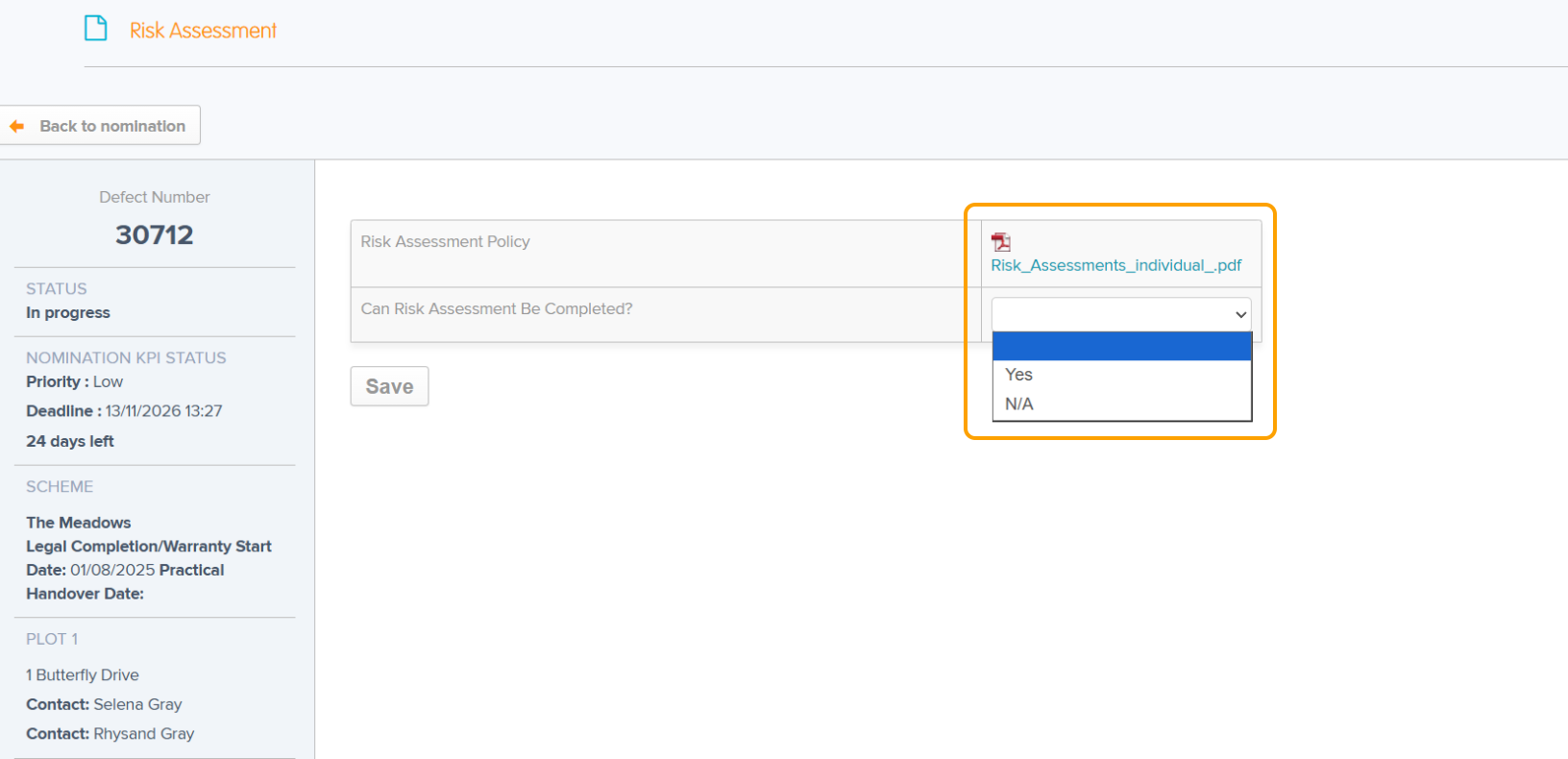
Step 2: Use the drop down next to 'Can Risk Assessment Be Completed?' & select 'Yes' to confirm if the risk assessment has been completed. If you have selected N/A, complete the signature and you will then be able to complete the nomination.
Step 3: Select Save.
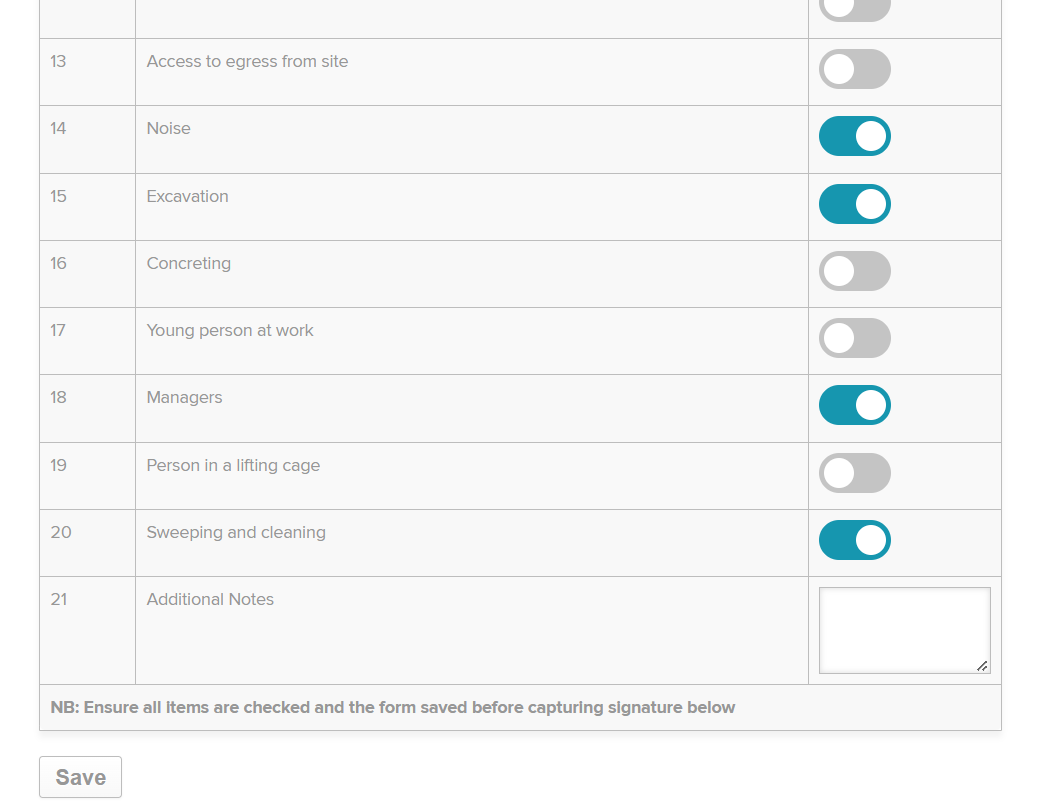
Step 4: Use the toggles to select which risk assessments were completed. Add any additional notes required.
Step 5: Select Save.
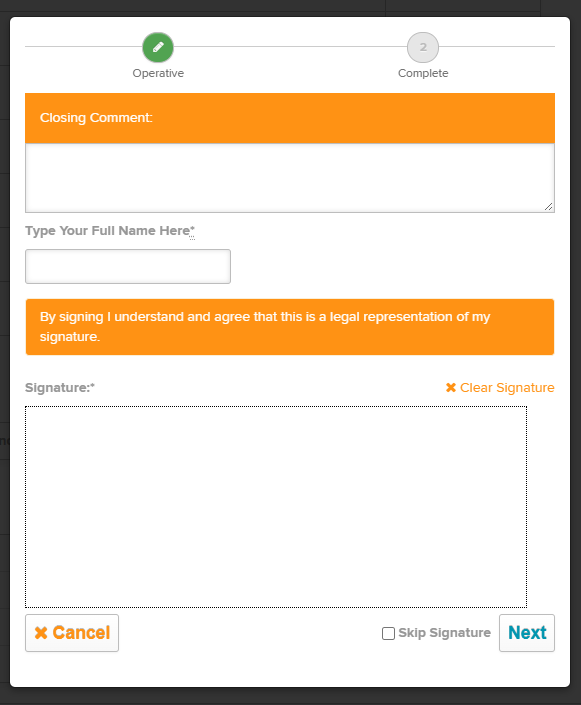
Step 6: Select 'Sign Now' and complete with your closing comment, name and signature.
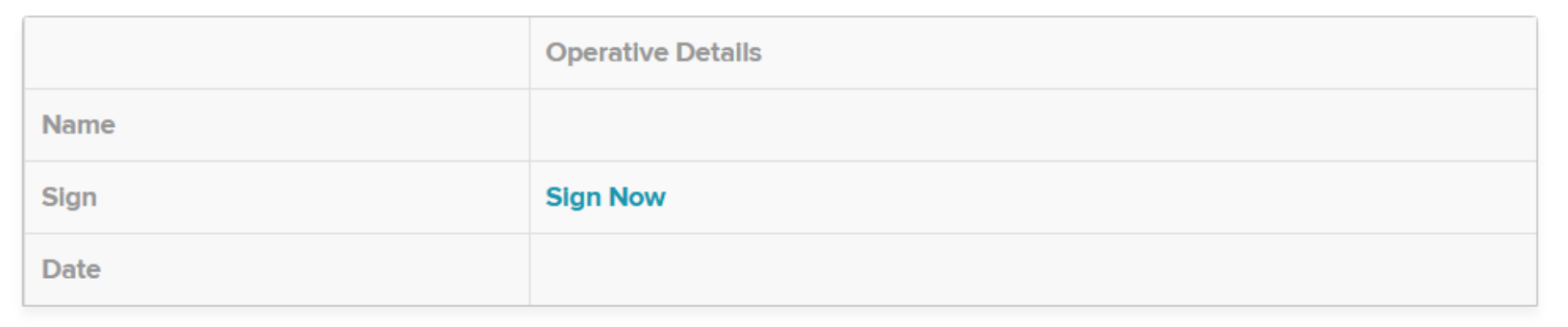
Do not skip signature.
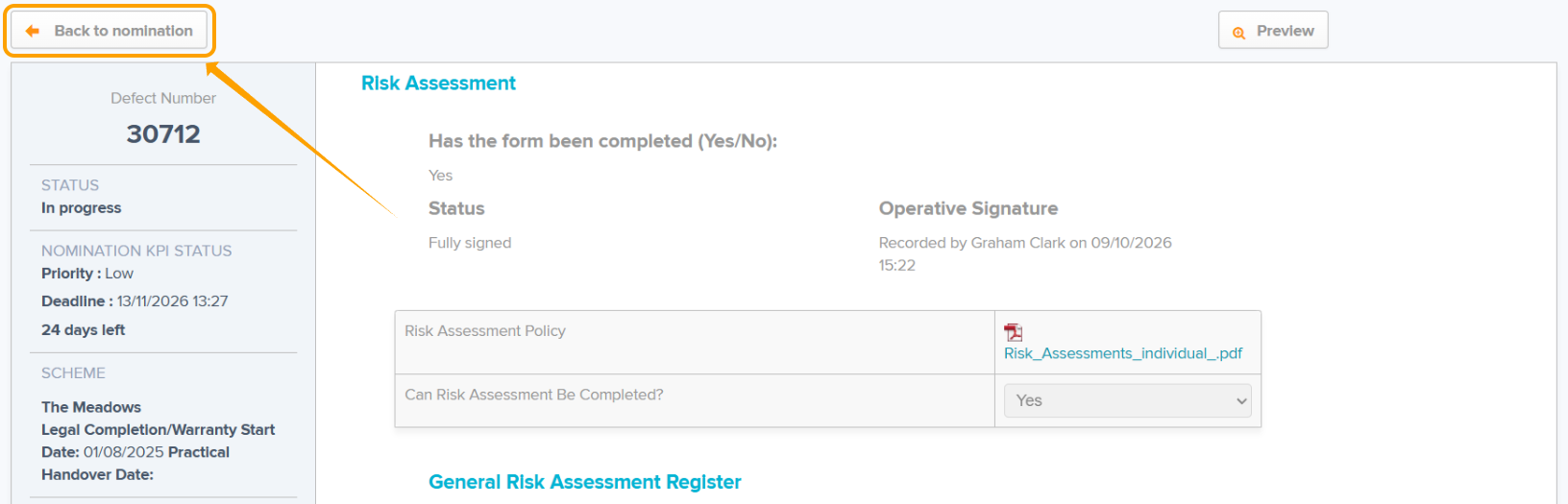
Step 7: Select Back to Nomination
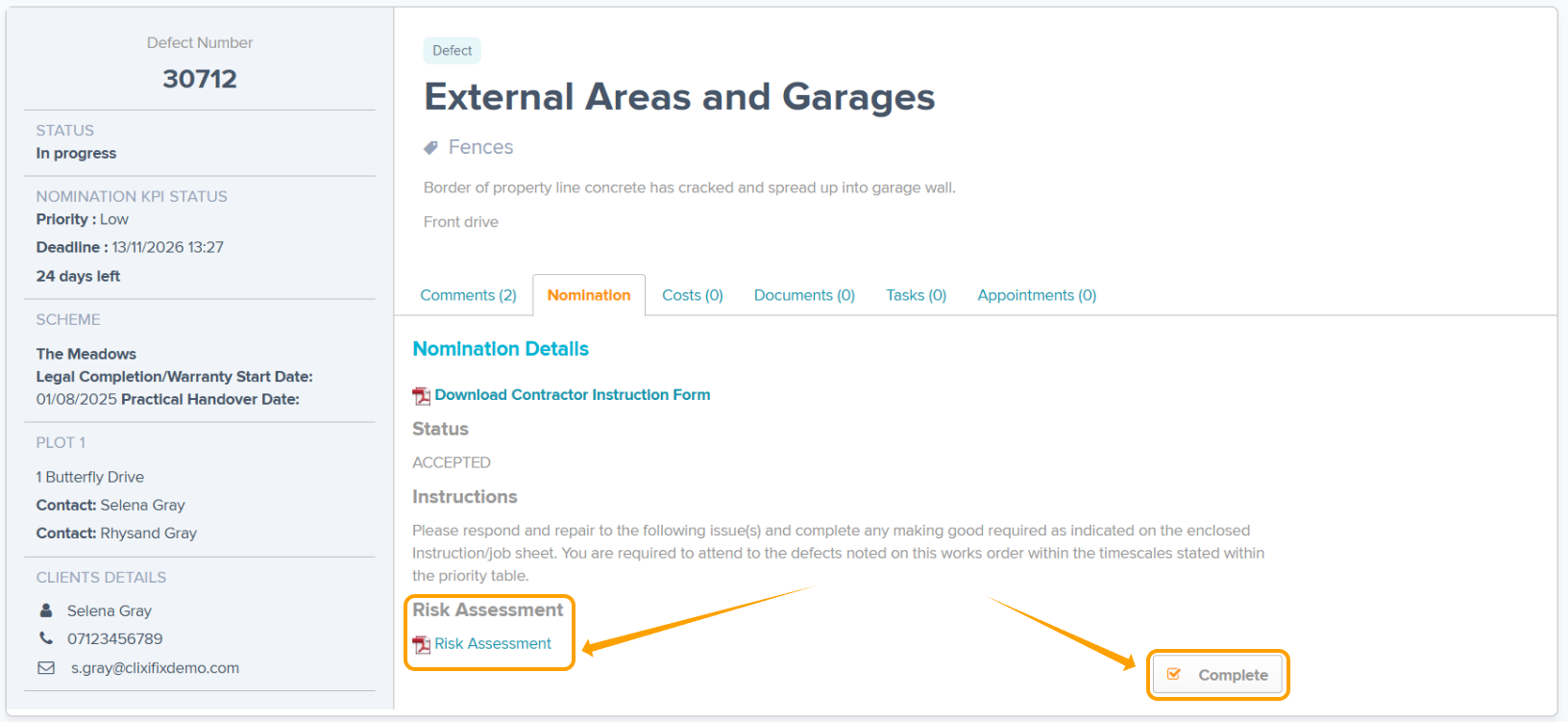
Step 8: Use the Complete button to complete the nomination. You can review your risk assessment by selecting the link if this is needed.
Was this article helpful?
That’s Great!
Thank you for your feedback
Sorry! We couldn't be helpful
Thank you for your feedback
Feedback sent
We appreciate your effort and will try to fix the article