We recommend you export a backup of your data regularly to secure your own data.
Data Exports can be done by any Admin user.
To export a backup of your account data, select Admin > Export Data > Click here to export your data
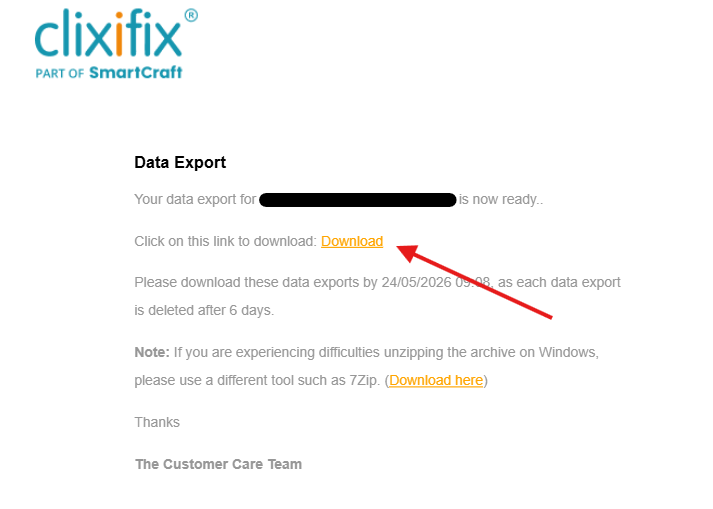
clixifix® will send you an email with a link to download your data. This email should be sent within a maximum of 24 hours, however, it is generally sent within a few hours.
When you click the link in the email, it will open up on your default browser. You must be logged in to access the link. If you are not logged in, you will be re-direct to the login page.
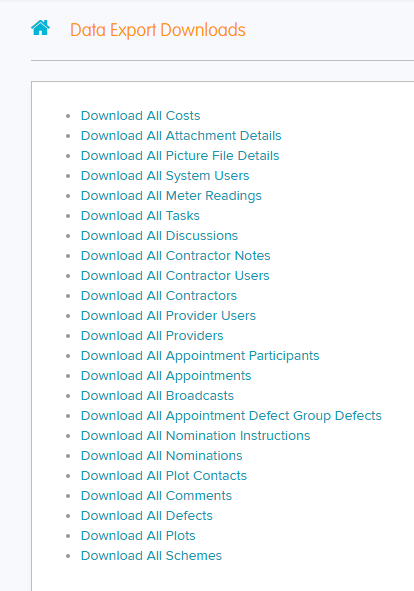
The Download link will contain separate links to various CSV files. Each file needs to be downloaded individually due to the volume of info.
Export options may vary per account setup (E.g. Speculative Housing/Partnership Residential/Commercial Projects)
Was this article helpful?
That’s Great!
Thank you for your feedback
Sorry! We couldn't be helpful
Thank you for your feedback
Feedback sent
We appreciate your effort and will try to fix the article