Your address and logo are recorded within the Admin bar. Address/Logo can be updated at any time by an Admin user.
Multiple addresses can be added if required.
Step 1: Select Admin > Your Addresses.
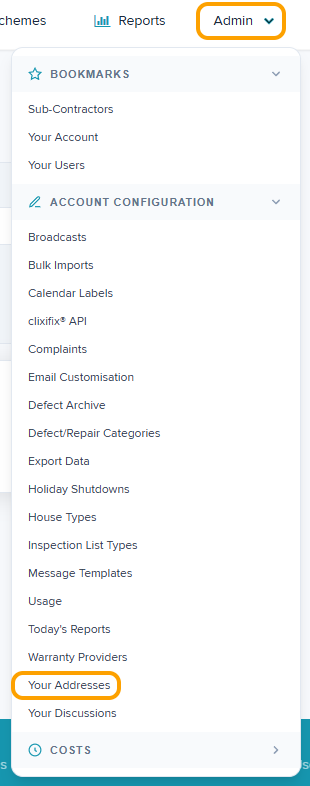
Step 2: Click the pencil icon to Edit.

Step 3: Edit the address. If required, and/or attach a new saved logo by clicking 'Choose File' ensuring the mandatory fields marked with a * are completed.
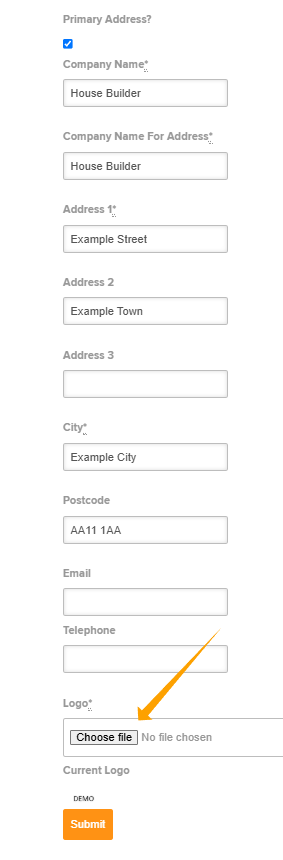
Step 4: Click Submit
Was this article helpful?
That’s Great!
Thank you for your feedback
Sorry! We couldn't be helpful
Thank you for your feedback
Feedback sent
We appreciate your effort and will try to fix the article