Adding new subcontractors to your account can only be done by an Admin. We have an existing database of contractors ready to connect to. If the subcontractor you require is not in the database, you can send a request to add a new contractor.
Connecting to an existing contractor
Step 1: Navigate to Admin > Subcontractors
Step 2: Click + New Contractor
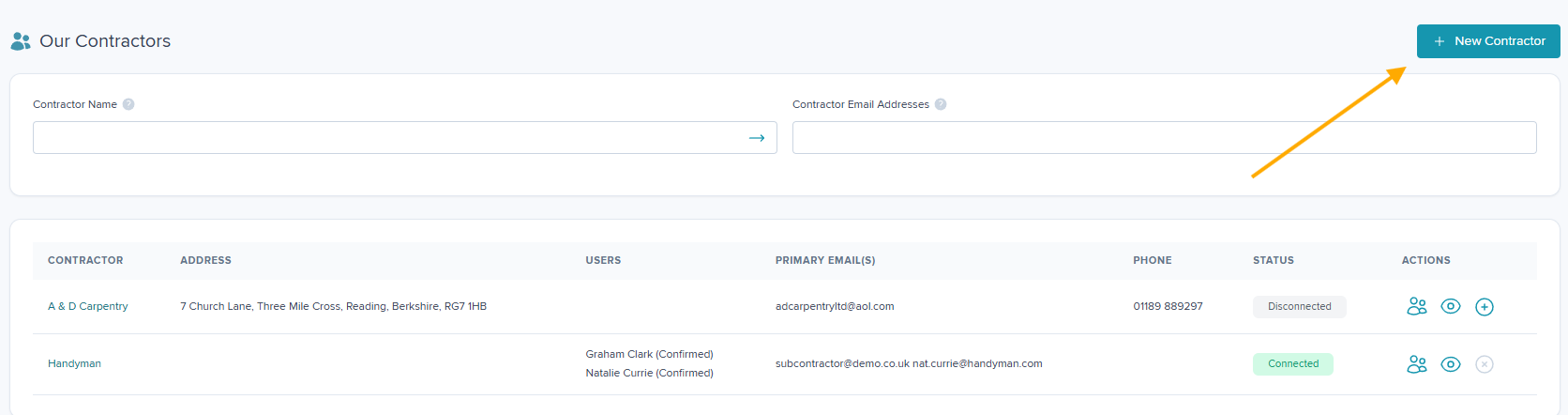
Step 3: Search for the subcontractor name or domain business email address to check if they already exist in the database. Please ensure you do not have any trailing or leading spaces.
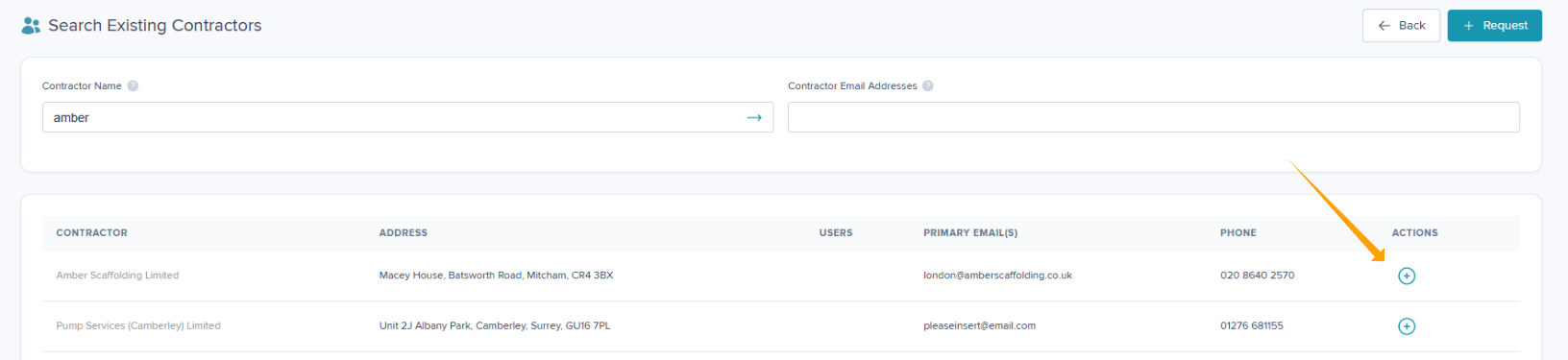
Step 4: If the subcontractor already exists, select + Connect to make an association.
Requesting a new contractor
If the subcontractor does not exist, click + Request
This will redirect you to your default browser where you can complete the online form.

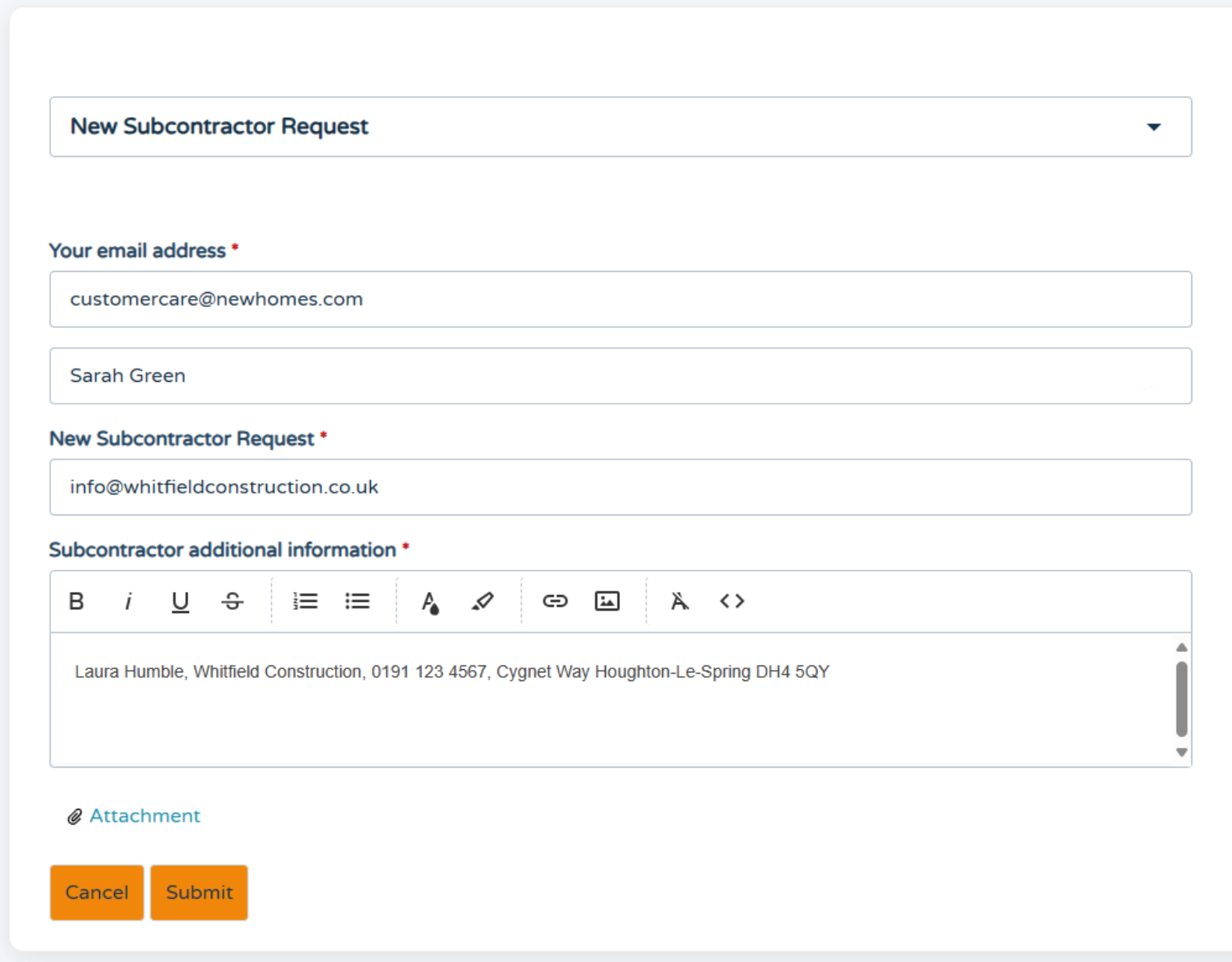
The clixifix® Support Team update you via email as soon as this request has been reviewed. If accepted, clixifix® Support Team will create the contractor & connect them to your account.
If the request is rejected, you will be emailed with a reason for the rejection.
Was this article helpful?
That’s Great!
Thank you for your feedback
Sorry! We couldn't be helpful
Thank you for your feedback
Feedback sent
We appreciate your effort and will try to fix the article