New plots can be added to your Schemes individually or in bulk. We have various ways of adding new plots depending on whether you're adding one or multiple plots.
If you have a Support+ or an extensive amount of plots to upload, please contact the Support Team for assistance.
Adding one plot to Speculative Housing
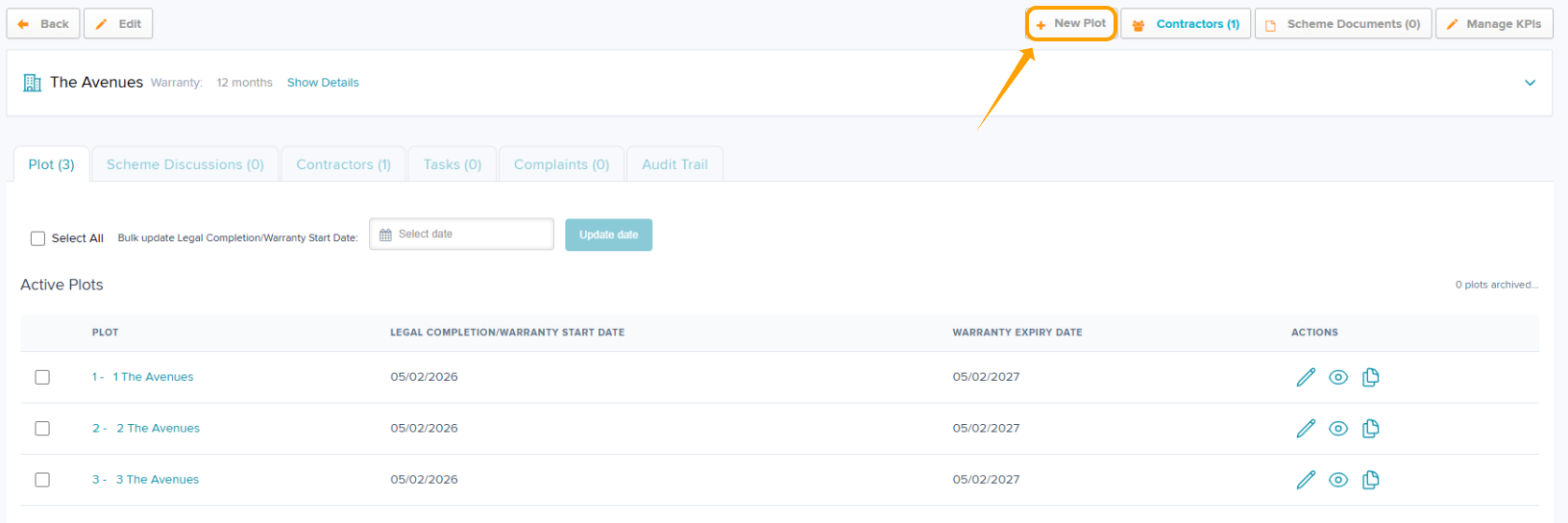
Step 1: Schemes > select the relevant scheme > + New Plot
Step 2: Fill in the relevant plot information. Plot Number and Address are mandatory fields.
Step 3: Submit
Adding one plot to Partnership Residential
Step 1: Our Clients > select the client > select the relevant scheme > + New Plot
Step 2: Fill in the relevant plot information. Plot Number and Address are mandatory fields.
Step 3: Submit
Adding Multiple Plots (both contexts)
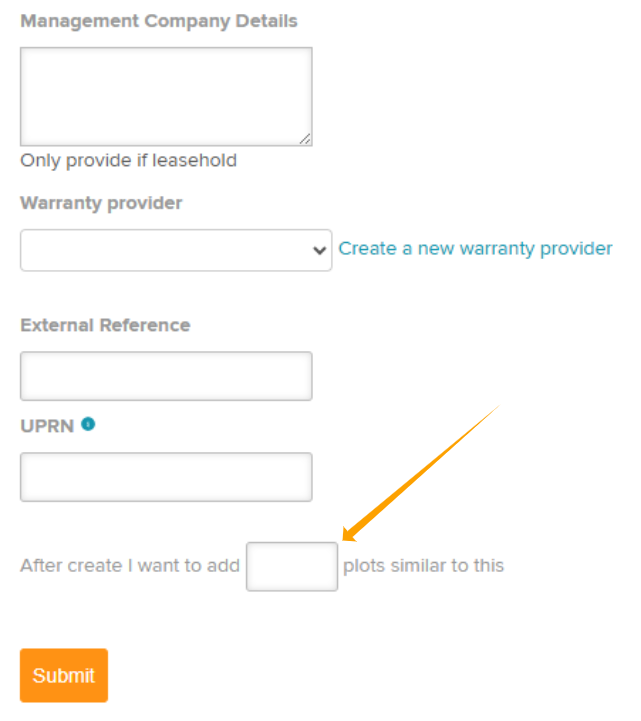
If you need to add multiple plots, you can start by following the steps above to create one plot but before you click 'Submit' a box will show where you can create similar plots to the one just created (as shown below)
Click into the free type box & add the number of additional plots you wish to create.
For example, if your Scheme needs 10 plots, you would enter 9 in this box to create 9 additional plots similar to the 1 plot you have just created.
You will be taken to a screen to edit the plot information. Information will pre-populate in a pattern based upon the original info you have entered for the first plot created. This info is editable.
Once amended, click 'Submit'.

Copying Plots (both contexts)
If you wish to copy/clone a plot, you can click 'copy plot' which will take you to the same screen as above where you can add multiple plots based on the plot you're copying from.

Was this article helpful?
That’s Great!
Thank you for your feedback
Sorry! We couldn't be helpful
Thank you for your feedback
Feedback sent
We appreciate your effort and will try to fix the article