The SMS features are advanced features. If you would like more information please speak with your Account Manager.
You can create templates for your Freeform SMS, if required.
This can be useful if you send the same SMS multiple times across different plots/schemes. Templates can only be amended by an Admin. To add/amend a template, navigate to Admin > Message Templates
Adding a Custom SMS Template
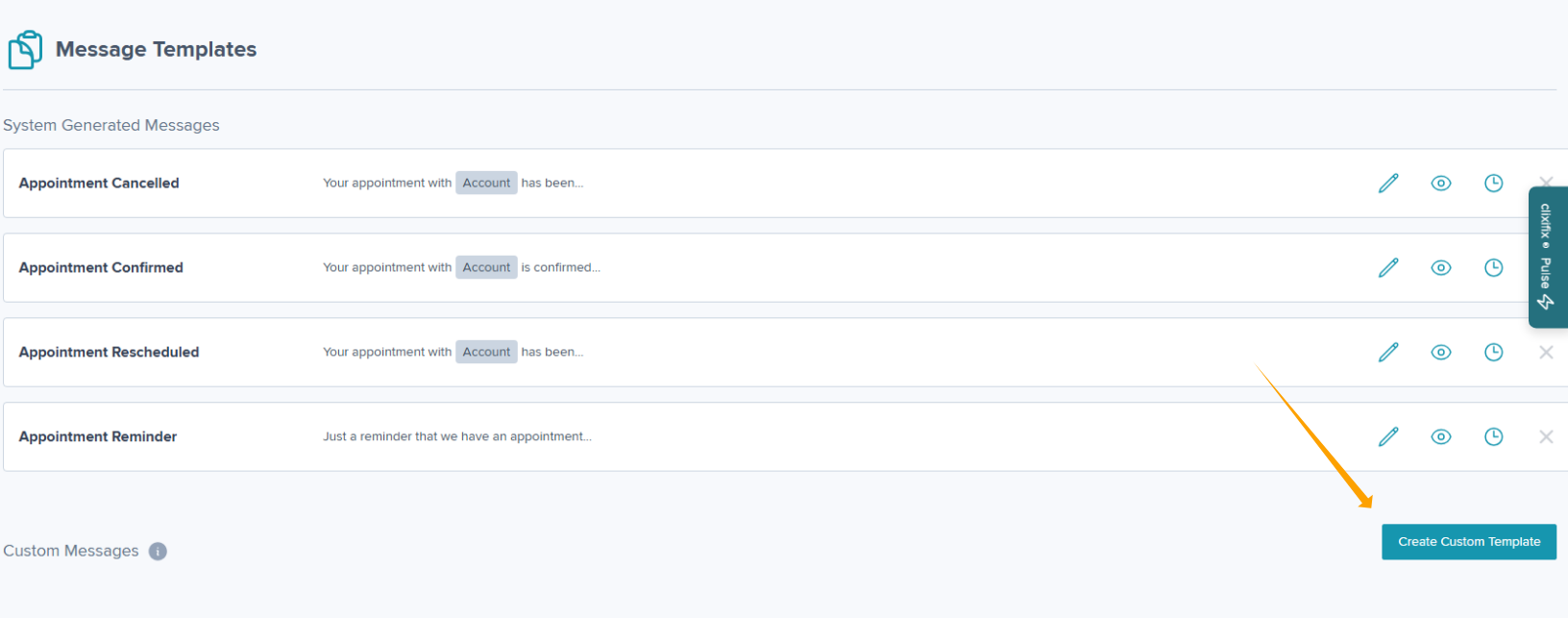
Step 1: Navigate to Admin > Message Templates & click Create Custom Template
Step 2: Complete the Title and Message
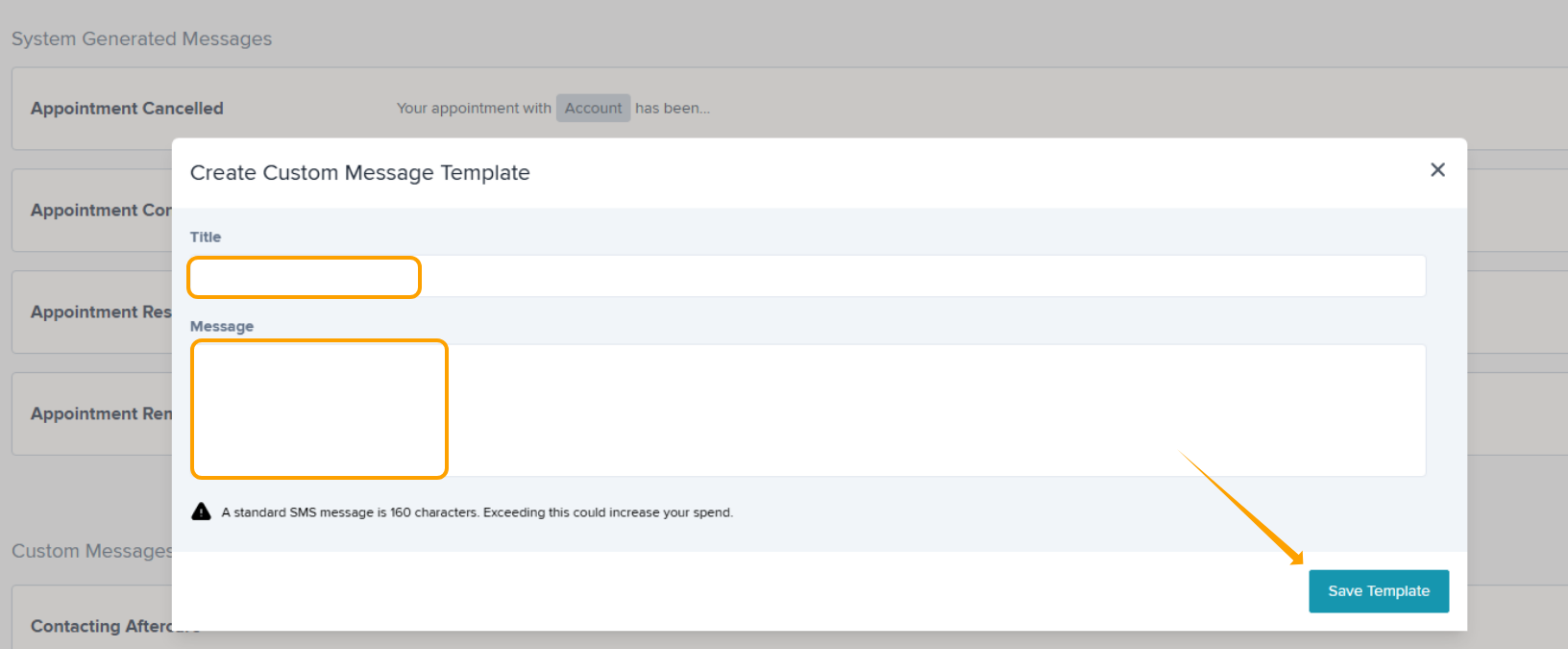
Step 3: Click Save Template
Editing Custom SMS Templates
Step 1: Navigate to Admin > Message Templates & select the pencil icon.

Step 2: Amend your title or message as required.
Step 3: Select Save Template
Any changes will apply to all future SMS that use this template.
To edit, click the pencil icon
To view the template, click the eye icon
To view the history, click the clock icon
Was this article helpful?
That’s Great!
Thank you for your feedback
Sorry! We couldn't be helpful
Thank you for your feedback
Feedback sent
We appreciate your effort and will try to fix the article