The Resident Portal is an advanced feature. If you would like information on pricing please speak with your Account Manager.
The resident portal allows your plot contacts/residents to access to their own portal where they can view their plot details, find documents, view appointments, create discussions and be given the option to raise their own Defects.
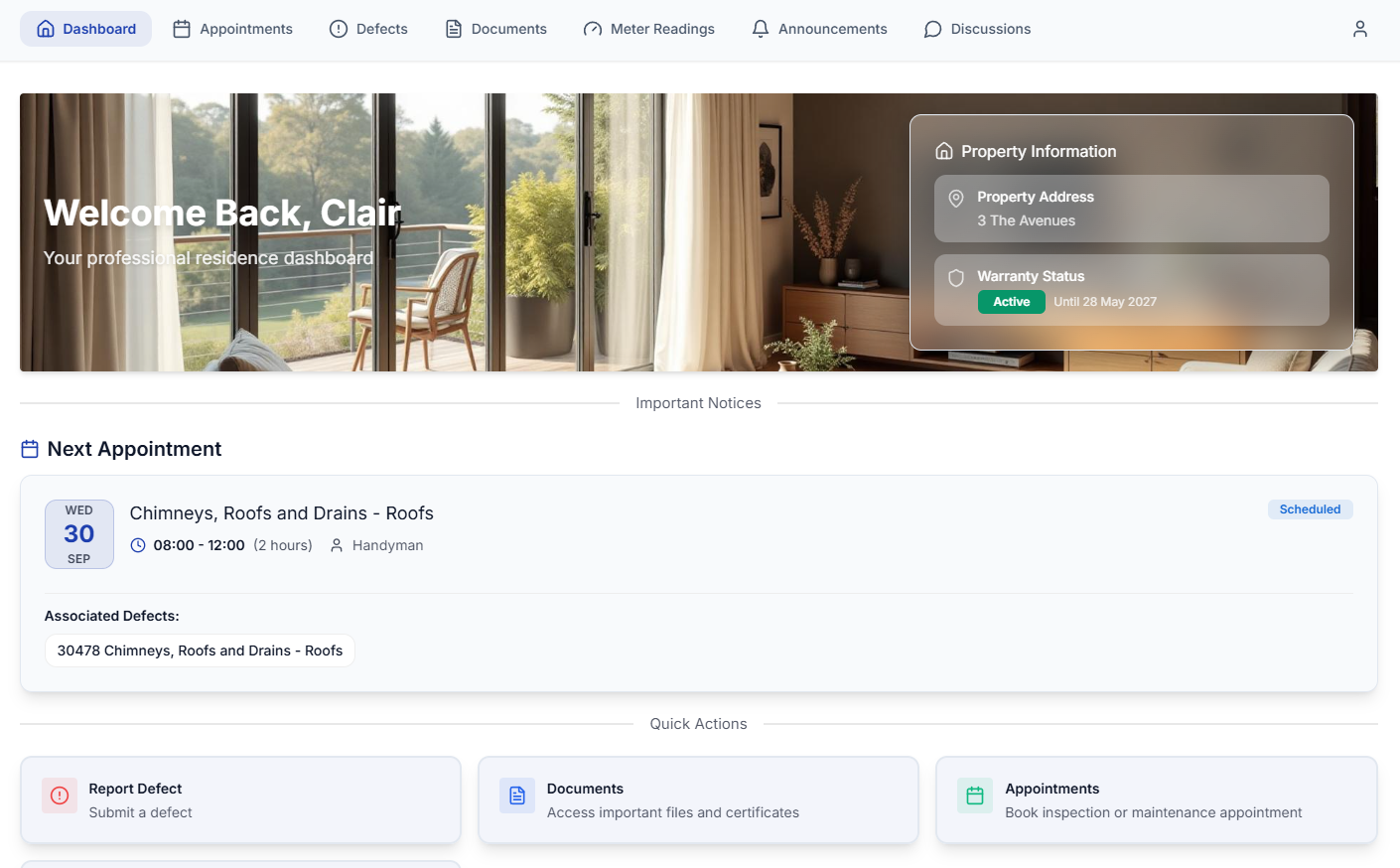
Inviting a Plot Contact
When you invite a plot contact to use the Resident Portal the plot needs to have a legal completion/warranty start date entered.
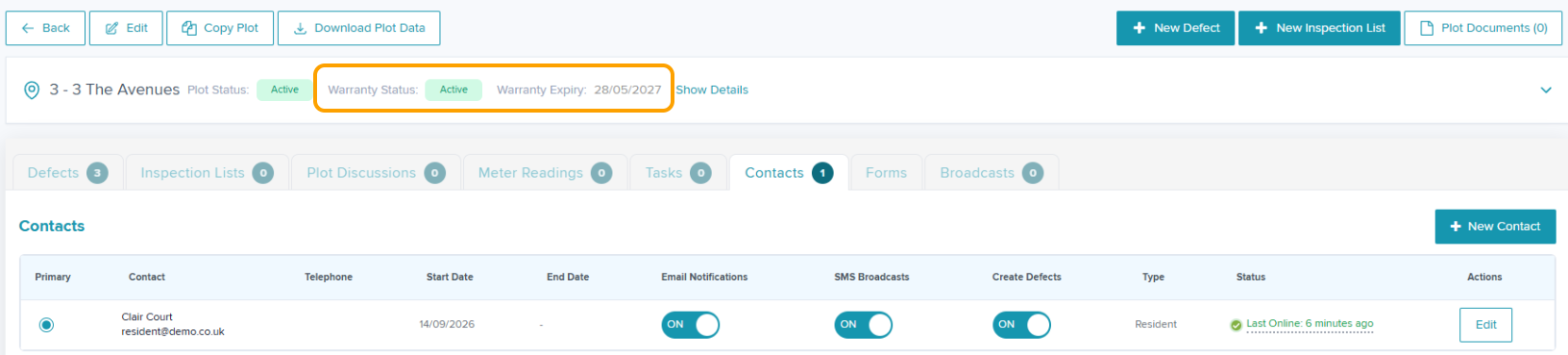
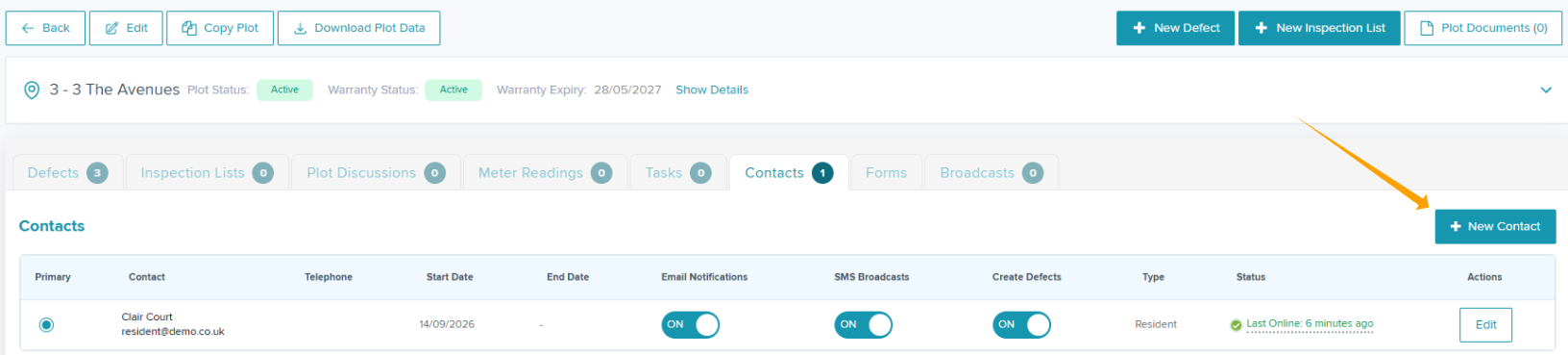
Step 1: Within plot view head to the contacts tab.
Step 2: Select + New Contact.
Step 3: Enter the plot contact email or phone number
The plot contact cannot sign in using a phone number. If you need the plot contact to login, an email must be entered.
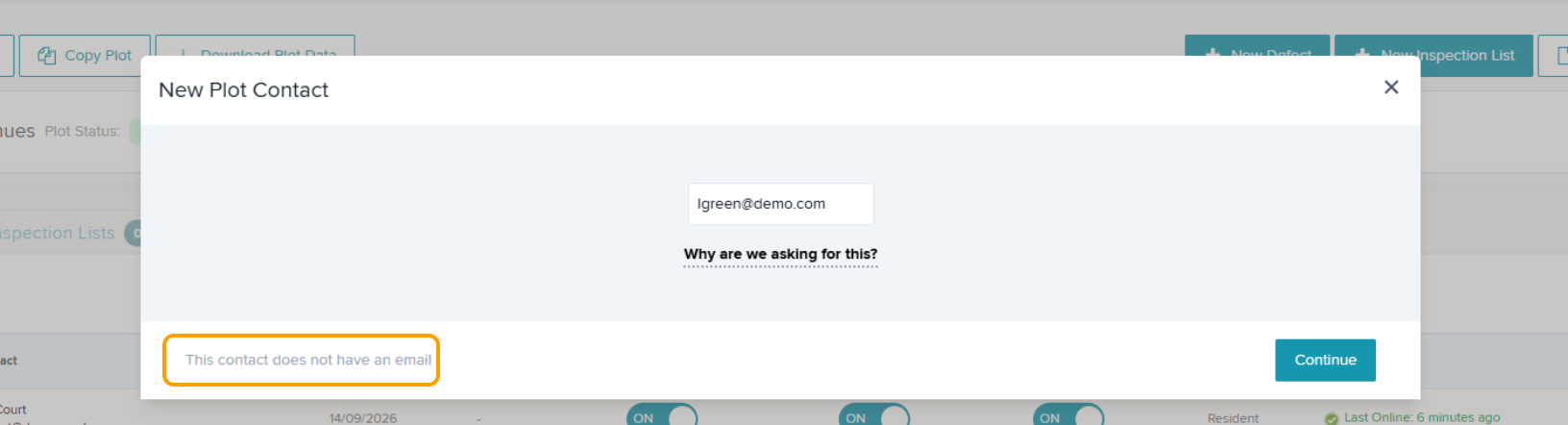
Step 4: Click Continue
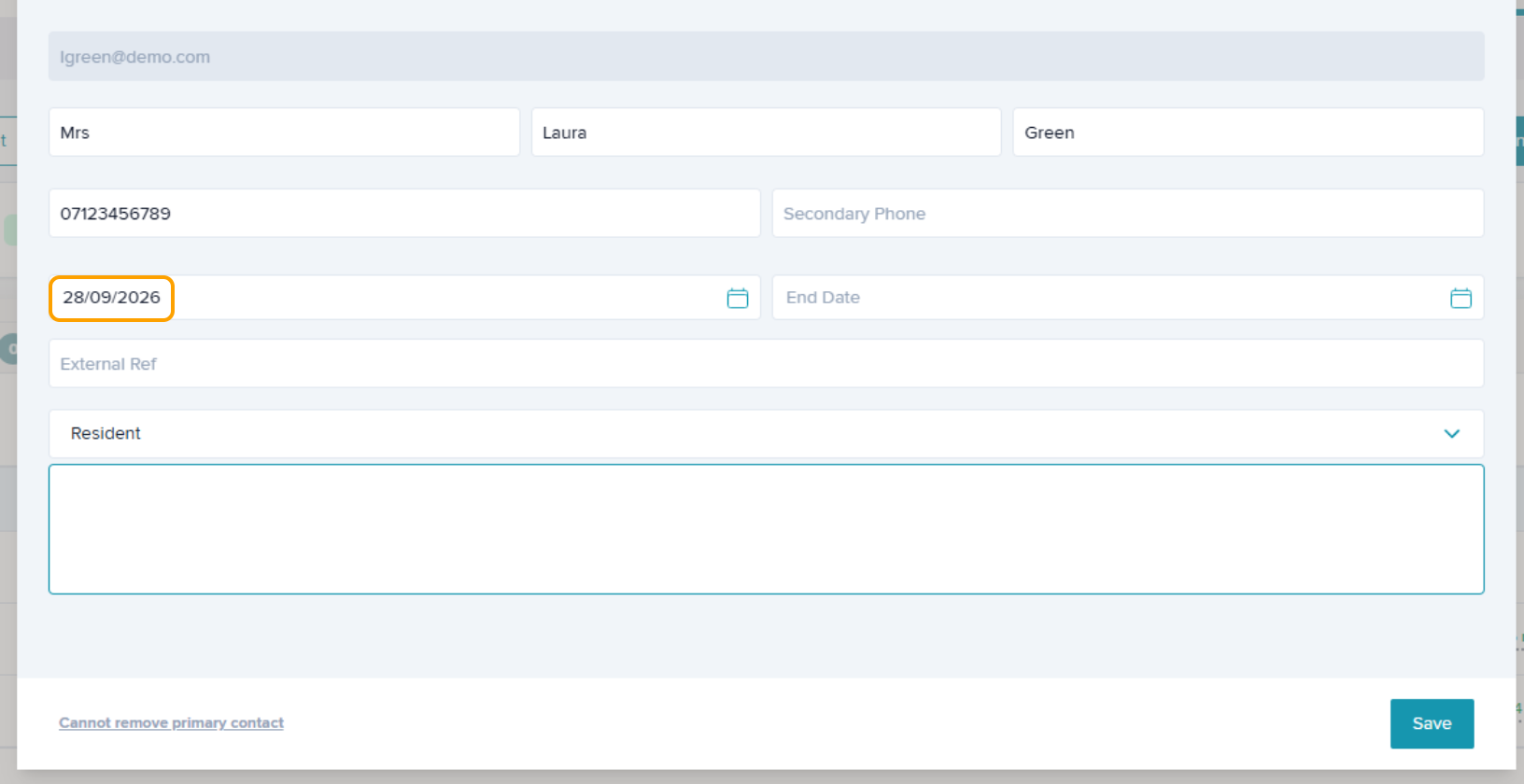
Step 5: Complete the fields as required.
Step 6: Enter the 'Start Date'
A Start Date must be entered for the resident to be able to access the resident portal.
Step 7: Click 'Save'
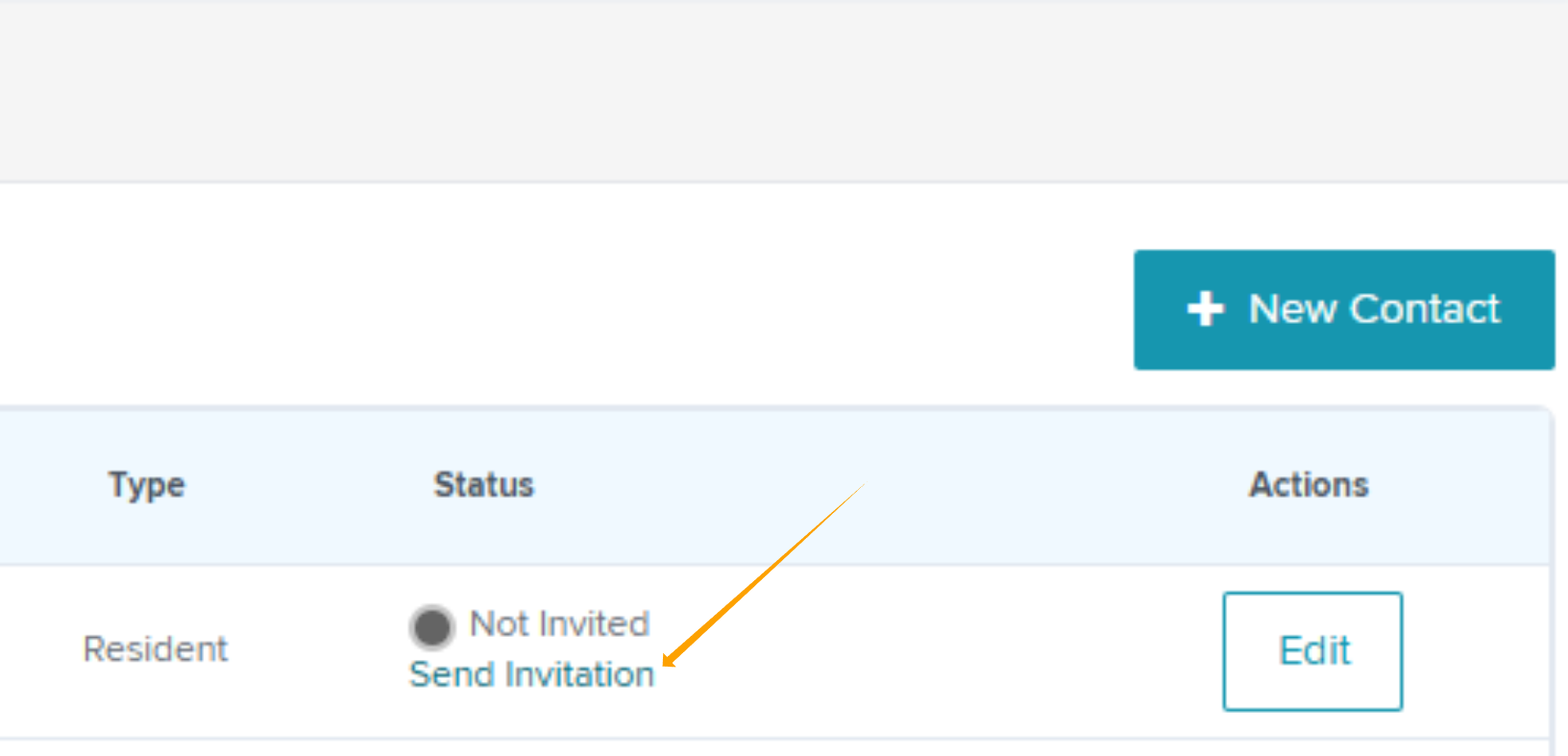
Once the plot contact is added, you can send their invitation by clicking 'Send Invitation'.
Was this article helpful?
That’s Great!
Thank you for your feedback
Sorry! We couldn't be helpful
Thank you for your feedback
Feedback sent
We appreciate your effort and will try to fix the article