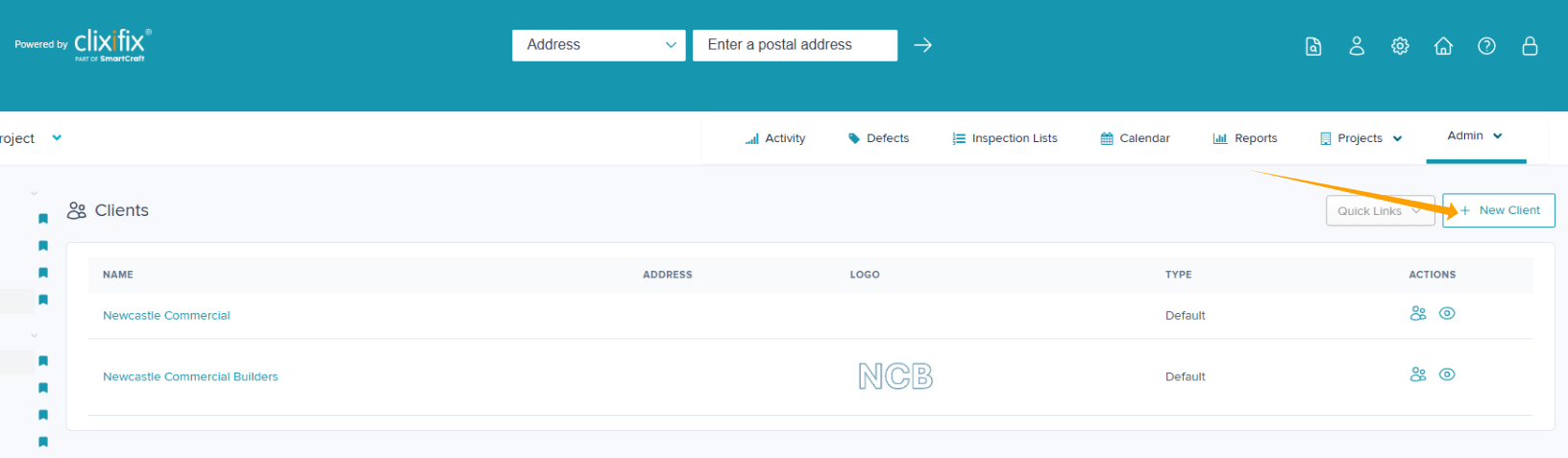
You can manage your clients within the Commercial Project sector within Admin >Your Clients.
If you also use Partnership Residential, those Clients will show in Commercial Projects. We recommend using separate Clients per context.
Adding a new Client
Step 1: Navigate to Admin > Your Clients > + New Client
Step 2: Complete the details to add a new client noting the mandatory fields marked with a *
Step 3: Click Submit
Disassociating from a Client
If you have connected to a Client in error, please contact the clixifix® support team using our Support Page
Updating Client details
If you need to update the Client details, please contact the clixifix® support team using our Support Page
Was this article helpful?
That’s Great!
Thank you for your feedback
Sorry! We couldn't be helpful
Thank you for your feedback
Feedback sent
We appreciate your effort and will try to fix the article